Start with the message you want to sell, then choose the performance that suits it. UGC Max lets you select an eligible fictional AI actor for your video ad or use Auto to generate a fresh actor. Keep the same brief and selling angles while exploring different ad versions, without organizing a shoot.
One free ad angle set, once. Video ads use paid credits.
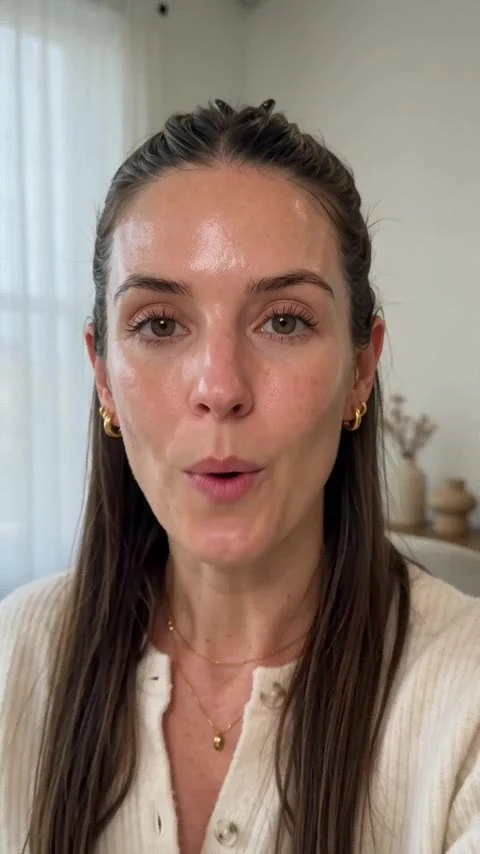
An AI-generated presenter in a published UGC Max product ad. This is an ad example, not a catalog portrait.
From your brief to your next ad.
01
Lead with a selling angle
Describe your product, app, or service and find selling angles. Choose the hook and main benefit before casting your ad. A skincare message about a daily routine can call for a different performance from a straightforward app introduction.
02
Choose an actor or use Auto
Browse the AI actors by age and gender, and save favorites for future versions. The Ad format sheet shows actors eligible for your chosen angle. Select one or leave Auto on to generate a fresh actor suited to the ad.
03
Give the ad its direction
Choose portrait or landscape, duration, and quality, then add optional creative instructions. Review the quoted credit cost before creating the video. Check the generated performance, product details, and spoken claims before sharing or downloading it.
More versions, with the brief already in place.
Actor choice belongs to each ad version. That lets you keep your saved brief, optional product images or screenshots, and selling angles while choosing a different eligible actor or Auto for another video. Favorites make it easier to return to actors you like. The generation may adapt styling, clothing, and the setting to the ad, so you should review each result rather than expect identical appearances. These actors are fictional AI-generated people, not hired creators or real customers. Their performance does not establish a product endorsement or prove an advertising claim.
Your questions, answered.
What are AI actors for ads?
They are fictional AI-generated presenters used in generated video ads. In UGC Max, you can choose an eligible catalog actor or have Auto generate a fresh actor for the video.
Can I choose any actor for every selling angle?
The Ad format sheet shows the actors eligible for that angle. If an actor is not eligible, choose another available actor or use Auto. Saved favorites are offered when they are eligible for the current angle.
What does Auto do?
Auto generates a fresh actor to suit your ad. It is the default choice when you do not select a catalog actor.
Can I save favorite AI actors?
Yes. Save favorites while browsing AI actors, then return to them when choosing an actor for another eligible ad version.
Can I upload a person's photo to cast them?
This is not a custom-person casting flow. Use the AI actor catalog or Auto. Person-only uploads are ignored as generation references; add product photos or app and website screenshots when useful.
Will an actor look identical in every generated video?
AI generation can vary between videos. Catalog references guide the recognizable face, while styling and the scene can change with the ad. Review each result; identical appearance is not guaranteed.
Does choosing an actor make video generation free?
No. Every personalized video ad requires a paid plan and uses credits, whether you choose a catalog actor or Auto. The exact credit cost is shown before you confirm generation.