Give your product, app, or service more ways to sell. UGC Max turns a clear brief into selling angles, then creates AI-generated video ads with a script, visuals, and audio. Add optional product photos or app and website screenshots, choose an angle, and make your next ad version without filming.
One free ad angle set, once. Video ads use paid credits.
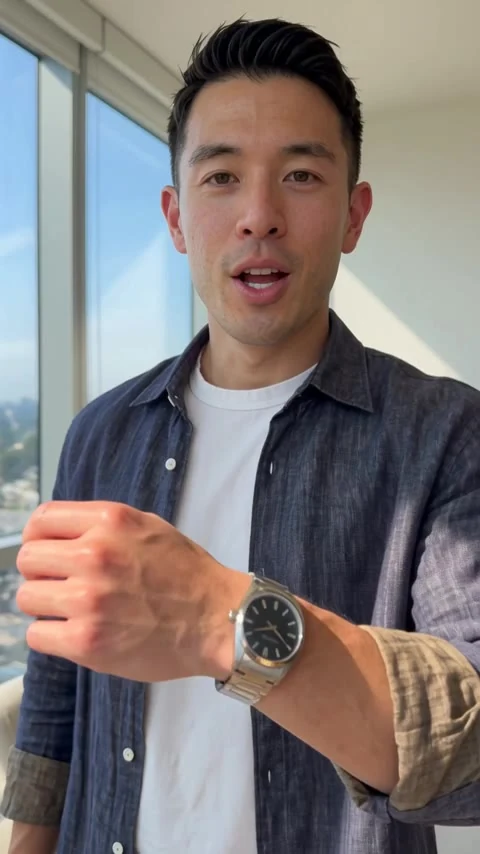
A still from a published UGC Max ad. The presenter and video are AI-generated.
From your brief to your next ad.
01
Start with the details that matter
Explain what you sell, who it helps, and the benefit you want people to understand. A product photo can provide visual context; an app or website screenshot can show the digital product. You can also start with a specific service description and no images.
02
Find a selling angle
UGC Max develops different hooks, audiences, and benefits from your brief. Choose a message that fits your actual product. For a watch, one angle might focus on everyday style while another speaks to choosing a gift. Check that every advertising claim is accurate.
03
Create and compare ad versions
Choose an eligible AI actor or leave Auto to generate a fresh actor for your ad. Set the format and optional creative direction, review the credit cost, and generate. Download the original video and audio, then test the versions in your own advertising platform.
A UGC style, built for your own message.
UGC-style ads use a direct, presenter-led approach to explain a product or benefit. With UGC Max, the presenter is AI-generated rather than a real customer recording a testimonial. Start with facts about your product and a message your audience can understand. Save the brief and optional images in one workflow, then create more ad versions from its selling angles. Try a different hook, actor, format, or creative direction for each version. You choose where to publish and how to measure performance; UGC Max creates the content and does not run campaigns or promise conversions.
Your questions, answered.
What is an AI UGC video generator?
It creates AI-generated videos with a UGC-style presentation from your instructions. UGC Max focuses on video ads: it develops selling angles, writes the script, and generates visuals and audio from the chosen angle.
Do I need a creator, camera, or finished script?
No. Start with a product, app, or service brief. UGC Max generates the script and video automatically. Optional photos and screenshots provide reference material; you do not need to film yourself.
Are the AI presenters real customers?
No. Catalog actors are fictional AI-generated people. Their appearance is not a real endorsement or customer experience. Review your ad and follow the disclosure requirements of the platform where you publish.
Can I make ads for apps and services as well as products?
Yes. Describe the app or service and its audience. App and website screenshots are optional. Supplied screens are used as static references rather than an interactive recording. Standalone service-delivery or before-and-after photos are not supported.
Can I reuse an angle for another video ad?
Yes. Your workflow saves the brief, images, and selling angles. Create a new ad version from an eligible saved angle, choosing the format and optional direction again. Each new video uses credits.
Is AI UGC video generation free?
A free account includes one ad angle set, once. Personalized video ads require a paid subscription and credits. You can browse published examples and their walkthroughs as a guest before signing in.